


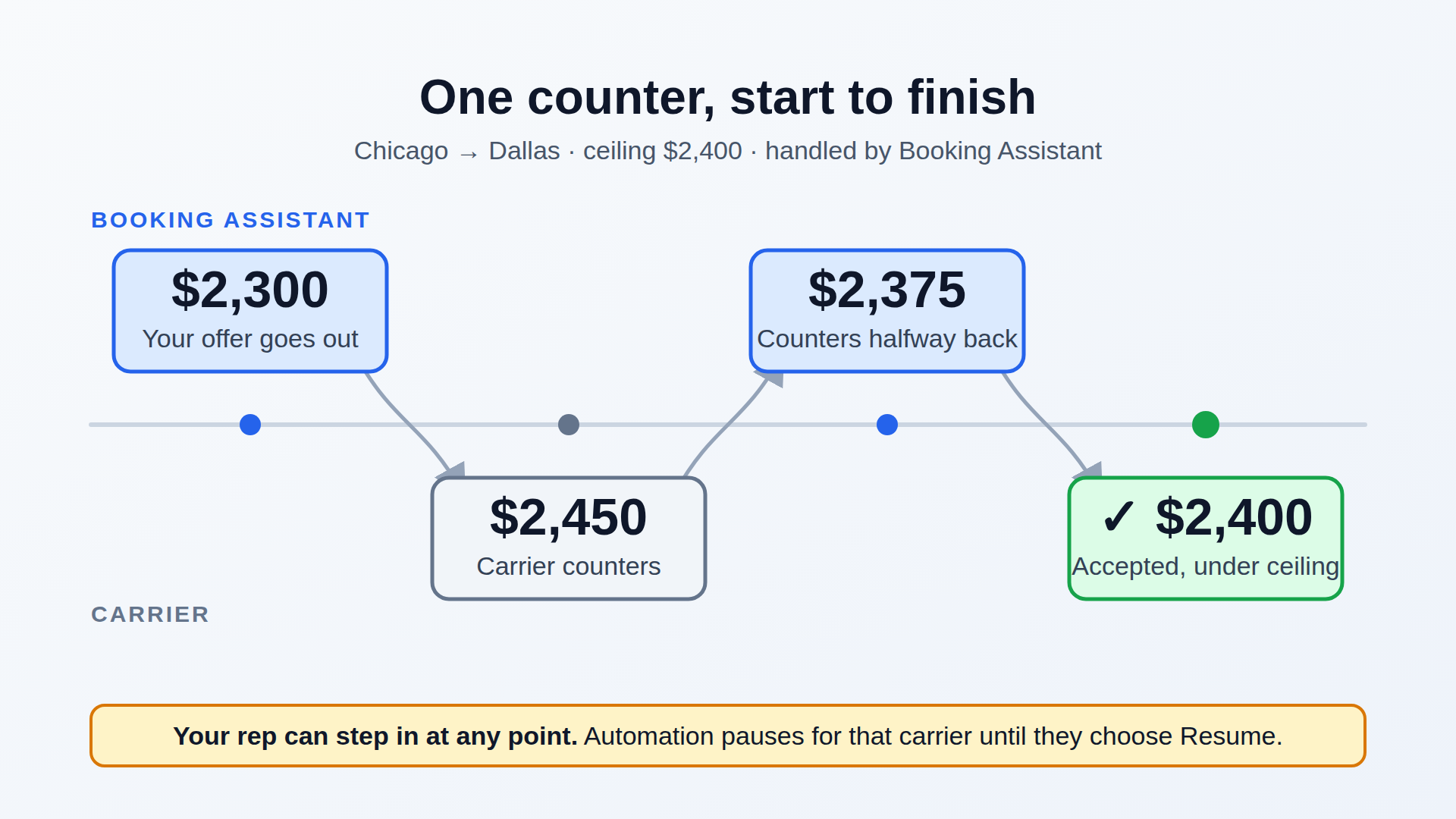
Automated Carrier Negotiation keeps your counters moving inside the limits you set. Here’s what it handles on its own, and exactly when your rep steps in.
A carrier counters your Chicago to Dallas load at $2,450. You offered $2,300, and your max buy is $2,400. The rep who owns that lane is on the phone with a shipper. By the time they see the counter, the carrier has booked a load with another broker.
Most booking automation sends the offers and stops at the first counter. That’s where you win or lose margin on the load, and the counter still sits in a rep’s queue.
Automated Carrier Negotiation in Booking Assistant picks it up from there.
You set the ceiling
Booking Assistant never offers or accepts a dollar over your ceiling. The ceiling is your workflow’s max buy, or the shipper rate minus the margin you need, whichever is lower. If a load has neither, Booking Assistant doesn’t negotiate it. It leaves a note for the rep.
You set the margin once for the account, along with an urgency window: how many hours before pickup Booking Assistant should stop negotiating and take any offer under the ceiling. Any workflow can override those settings or turn negotiation off.
Pick how much it does
- Off. Your reps handle every counter, same as today.
- Recommendation. Booking Assistant works out what it would do and shows it on the carrier’s offer: “Recommended Counter: $2,375” or “Recommended: Accept.” When the rep clicks Counter Back, the amount is already filled in. They send it, change it, or ignore it.
- Live. Booking Assistant sends counters to the carrier on its own. Booking a negotiated rate is a separate switch. With it on, Booking Assistant accepts and books. With it off, it tells the rep the offer is good to take and leaves the booking to them.
We suggest running in Recommendation first. Once the suggestions look like what your best rep would have sent, move to Live with booking off, then turn booking on.
What happens when a carrier counters
- The offer goes out to carriers through your workflow.
- If a carrier takes your rate, it books the same way it does today, through Book Now if it’s on for that workflow.
- If the carrier counters through the offer link, Booking Assistant checks the counter against your last offer, your ceiling, and the time to pickup.
- Close to pickup, inside your urgency window, it accepts any counter at or under the ceiling.
- With time to spare, it counters back halfway between the carrier’s ask and your last offer, rounded the way a rep would round it, never above the ceiling. It won’t counter over small gaps: if the split would leave less than $25 or 2% of the rate between you (whichever is more), it accepts.
- It sends a carrier at most three counters. If you’re still apart after the third, the carrier’s latest number waits for a rep.
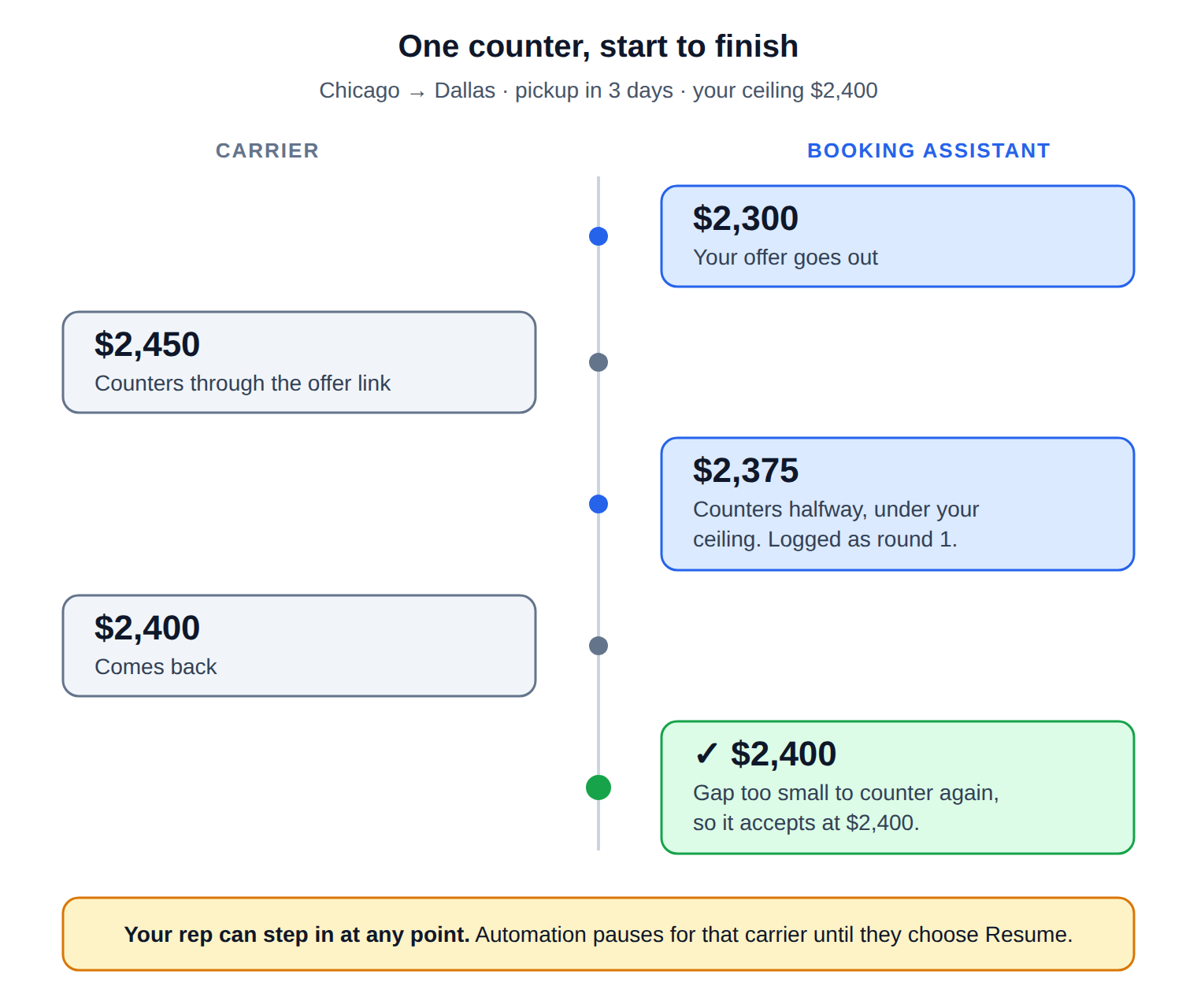
On the Chicago to Dallas load, with pickup three days out, Booking Assistant counters at $2,375. The carrier comes back at $2,400. That’s $25 apart on a $2,400 load, too small to counter again, so it accepts.
Your reps stay in charge
With Live on, counters stop piling up in the queue. Booking Assistant answers them as they come in, never above your ceiling, and closes the ones worth closing. Your reps pick up the loads that need a person.
A rep can step in at any time. If a rep sends their own counter, automation pauses for that carrier, so Booking Assistant never talks over your rep. The offer shows as Paused, and Resume Auto-Negotiation hands it back. Every other carrier on the load keeps going.
Every automated move is logged
Every counter Booking Assistant sends and every offer it accepts is written to the load’s Activity Log with the rate: “Auto-countered carrier at $2,375 (round 1).” Anyone who opens the load can see what the system did and at what number.
Your reps shouldn’t spend the afternoon splitting the difference on $50 counters. Their time is better spent on the carriers and lanes where a phone call changes the outcome.