


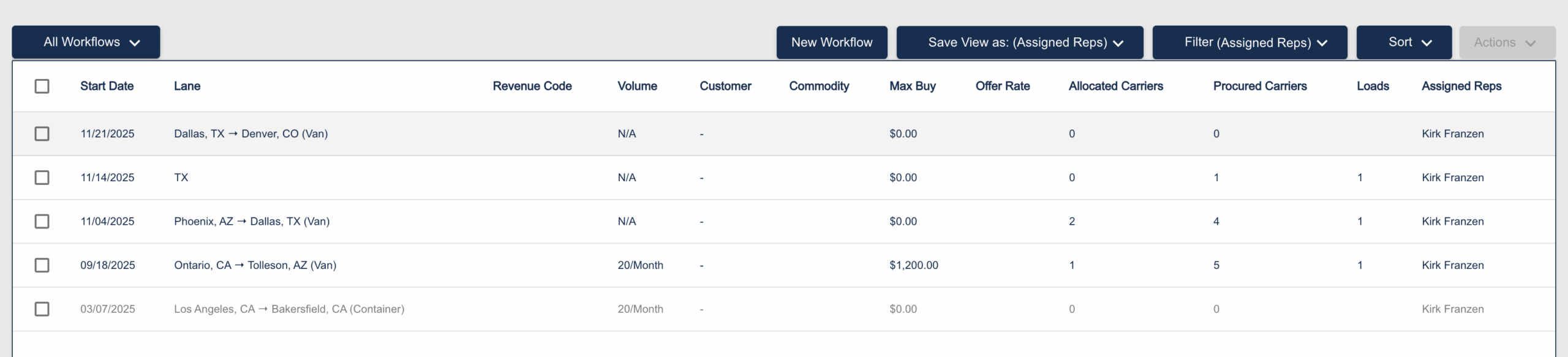
A major evolution for Booking Assistant—priority access for your top carriers, automated
Booking Assistant already works your loads the way your team would. Now you’ve got even more control over how.
We’re excited to introduce Allocations—a new way to guarantee your most important carriers get first shot at your loads, automatically, before the waterfall kicks in.
Why Allocations?
Your best carrier relationships didn’t happen by accident. You’ve built trust, consistency, and mutual commitment over time. Allocations let you honor those relationships at scale—without manually holding loads or making phone calls.
Instead of every load going straight to your waterfall, you can now say “Carrier A gets 10% of my daily volume on this lane, and they have 15 minutes to respond.” If they pass or hit their cap, the next allocated carrier gets a chance. If no one takes it, the waterfall runs automatically.
Your priorities. Your rules. Booking Assistant handles the rest.
How It Works
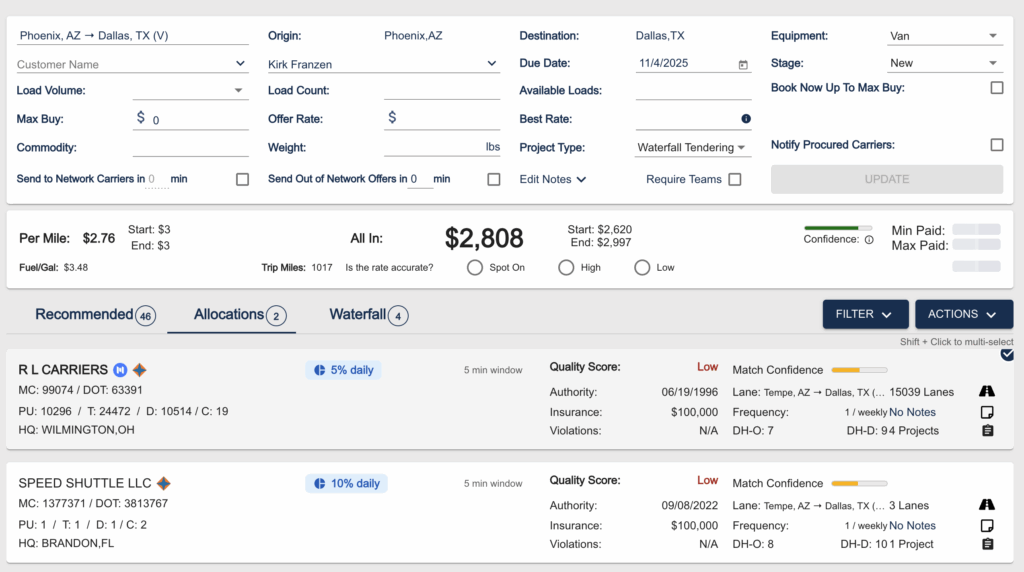
You’ll find Allocations right inside your Workflow setup. When adding carriers, you now choose: add them as an allocation, or add them to the waterfall.
For allocations, you configure three things:
Allocation Value — the percentage (or number) of loads this carrier is guaranteed first access to.
Allocation Period — how often that allocation resets (daily, weekly, etc.).
Allocation Window — how long the carrier has to respond before the load moves on.

It’s straightforward to set up, and you can see all your allocated carriers at a glance in the new Allocations tab within each Workflow.
A Small UI Update
You might notice the tab formerly called “Procured” is now named Waterfall. Same functionality, clearer name. Your waterfall groups work exactly as they always have.

Your Safety Net, Built In
Here’s a detail your carrier reps will appreciate: allocated carriers also appear at the end of your waterfall, in a group called “Allocated Carriers.”
Why? Because your highest-value carriers deserve more than one shot. If they miss a load during their allocation window—or they’ve already hit their cap—they’ll still get another chance after the waterfall runs, before Booking Assistant reaches out to your broader network.
It’s belt and suspenders for your best relationships.
The Full Picture
With Allocations, your booking cascade now looks like this:
- Allocated carriers get priority access, in order
- Waterfall groups run if the load isn’t booked
- Allocated carriers get one more shot at the end
- Your network gets tapped if needed
- C4 network finds vetted carriers if your network can’t cover it
Configure Workflows and Allocations lane by lane, shipper by shipper—build a fleet of Booking Assistants that work loads exactly the way you would.
More control. Same automation. Every load covered.
Ready to set up your first allocation? Log in and head to your Workflows to get started. Questions?
Reach out to our team at customercare@cargochief.com.Lorem ipsum dolor sit amet, consectetur adipiscing elit. Ut elit tellus, luctus nec ullamcorper mattis, pulvinar dapibus leo.